
MCP administration
Use an AI agent to administer a managed Control application through the Management Center MCP server.
Management Center is the administration tool for configuring, troubleshooting, and understanding managed Fortified ID applications. With its Model Context Protocol (MCP) server, an AI agent can assist an administrator by accessing the same management capabilities and shared services as the web console and REST API. This page explains how to configure and use MCP administration.
Note: At present, MCP administration supports Control applications only.
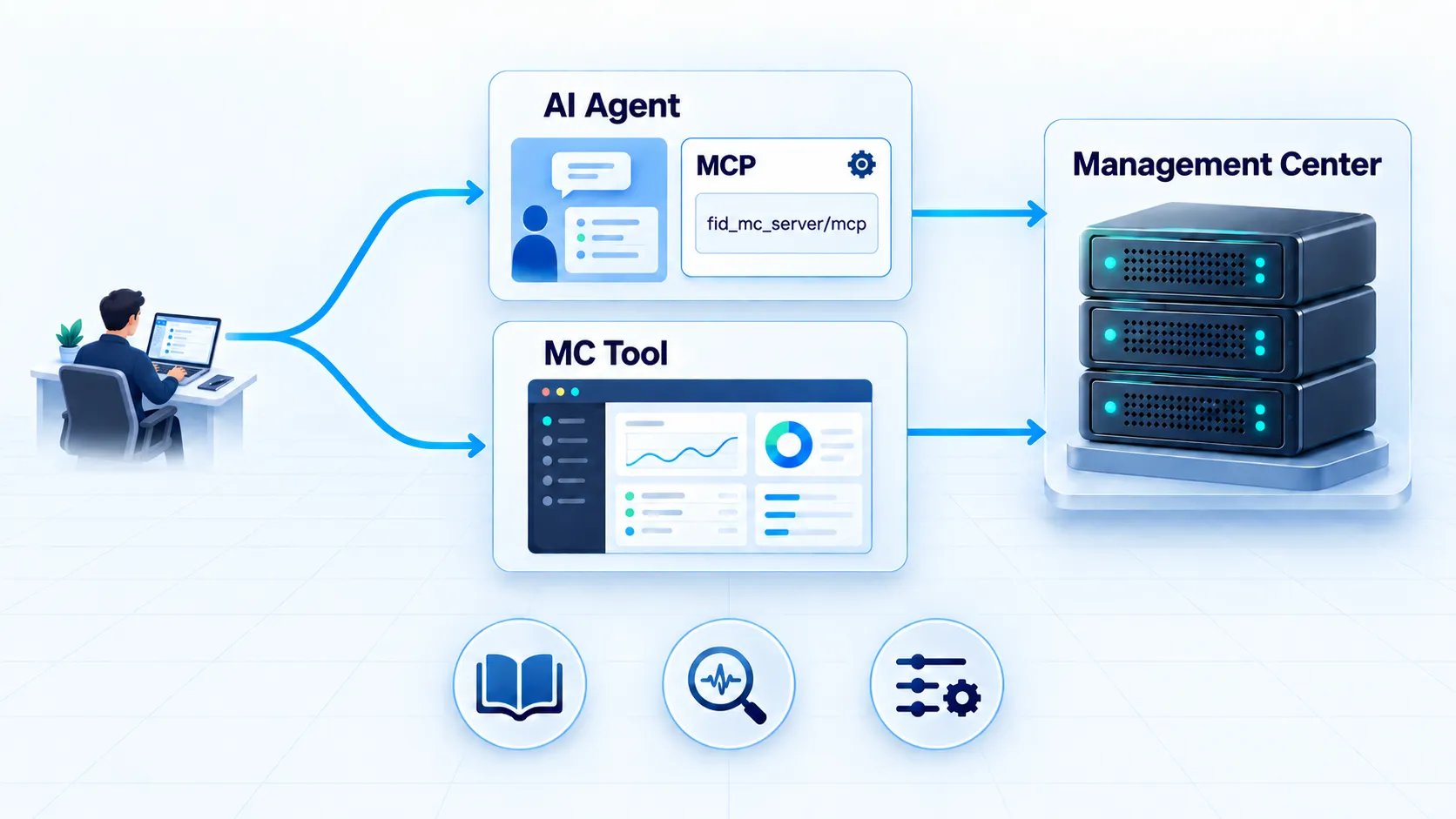
An MCP-enabled agent can help an administrator with:
- Configuration — Read and update managed configuration, and validate intended changes when validation is available.
- Troubleshooting — Inspect status, logs, and resource data to diagnose issues and identify the next steps.
- Documentation — Retrieve documentation for the complete managed environment or for a specific component, such as a Flow, to quickly understand how it is configured and connected.
Authentication and authorization
Section titled “Authentication and authorization”MCP uses the authentication mode configured once for the complete Management Center installation. It does not have a separate local or SAML login configuration:
- With local authentication, the browser login and MCP client approval use the local Management Center account.
- With SAML authentication, both the OAuth authorization-code flow and device-verification flow redirect the administrator to the external IdP. Local authentication is unavailable.
A successful SAML login grants the same Management Center administrator authority as local authentication. Management Center does not map SAML attributes or groups to narrower roles, so the IdP must restrict access to the Management Center service provider to approved administrators. MCP client approval is a separate step that authorizes a particular client; it is not a substitute for the IdP access policy. See Management authentication for the shared configuration and required IdP policy.
Enabling the MCP server
Section titled “Enabling the MCP server”The MCP application is off by default. Follow these steps on the Management Center host to enable it.
Prepare the public addresses
Section titled “Prepare the public addresses”Choose externally reachable addresses for both surfaces:
- MCP endpoint: the dedicated agent-facing listener, for example
https://mcp.example.com:8443/mcp. - Management Center: the browser-facing listener used for login and approval, for example
https://management.example.com:4443.
The host names must resolve from the agent and the administrator's browser. They must also match the TLS certificates presented by the respective listeners.
The MCP endpoint remains on its dedicated port when SAML is enabled. Agents connect to the MCP listener, normally
port 8443; SAML login, device verification, and client approval are browser flows served by the Management
Center listener, normally port 4443. The agent does not send a SAML response to the MCP listener.
Open the Management Center configuration
Section titled “Open the Management Center configuration”Back up <install_root>/config/config.json, then open the file in a text editor. For a container, the file is
/opt/fortified/servers/mgmt-server/config/config.json; make the configuration persistent outside the
container before editing it.
Locate the object in the applications array where name is mcp.
Enable and configure MCP
Section titled “Enable and configure MCP”Change enabled from false to true. In the same object, set public_base_url and public_web_url to the
addresses prepared in the first step:
{ "name": "mcp", "type": "module", "path": "internal/repository/mgmt-mod-mcp/current/lib", "mod": "fortified.mgmt.mods.mcp.McpMgmtModule", "enabled": true, "hidden": true, "config": { "http_listener": "mcp", "name": "mcp", "http_host": "0.0.0.0", "http_port": 8443, "http_context": "/mcp", "public_base_url": "https://mcp.example.com:8443/mcp", "public_web_url": "https://management.example.com:4443" }}The example only shows the settings relevant to activation. Keep the existing http_ssl, verification,
authentication, logging, and other settings in your configuration. Do not copy example passwords or remove
require_auth; authentication is enabled by default.
Make the listener reachable
Section titled “Make the listener reachable”Allow inbound TCP traffic to the configured http_port from trusted agent networks. The default port is
8443.
For a container deployment, publish the same port in the container configuration, for example:
ports: - "4443:4443/tcp" - "8443:8443/tcp"If a reverse proxy or load balancer terminates TLS, public_base_url must contain the address that the MCP
client actually uses.
Restart Management Center
Section titled “Restart Management Center”The MCP listener is created during startup, so a restart is required.
sudo systemctl restart mgmt-centersudo systemctl status mgmt-centerOpen Services, select Fortified ID Management Center, and choose Restart. Wait until its status is Running.
After saving the persistent configuration and publishing the MCP port, recreate the service:
docker compose up -d --force-recreatedocker compose psVerify the activation
Section titled “Verify the activation”Open the OAuth discovery document using the public MCP address:
curl --fail https://mcp.example.com:8443/mcp/.well-known/oauth-authorization-serverA successful request returns a JSON document containing fields such as issuer, authorization_endpoint,
token_endpoint, and registration_endpoint. A connection error normally means that Management Center did
not start, the MCP application is still disabled, the port is not reachable, or the TLS certificate is not
trusted.
Do not bypass certificate validation in production. If startup failed, inspect the Management Center logs in
<install_root>/logs.
Connect and approve an MCP client
Section titled “Connect and approve an MCP client”Configure the MCP client to use the Streamable HTTP URL from public_base_url, including the trailing slash,
for example https://mcp.example.com:8443/mcp/. Start the client's login or connection flow.
The client discovers the OAuth endpoints and registers itself. Management Center then opens a browser login
and approval page on public_web_url. If SAML is configured, the browser redirects to the external IdP and then
returns to the requested approval or device-verification page. The IdP must permit the administrator to access
Management Center. Approve the client only after the expected request is displayed. After approval, the client
receives an access token and can list the available MCP tools.
| Tool | Purpose |
|---|---|
mc_list_applications |
List the manageable applications and their capabilities |
mc_describe_application |
The machine-readable operation contract for one application |
mc_list_resources |
List resources of a type (optionally filtered) |
mc_get_resource |
Read a single resource |
mc_mutate |
Create / update / delete / validate a resource |
Every mc_mutate call is audited, and configuration changes are recorded in version control.
The self-describing contract
Section titled “The self-describing contract”mc_describe_application returns, per resource type, the supported operations, how a resource is addressed,
and — for anything an agent can author — a content_schema (the field shape) and a content_example
(a minimal valid starting point). Enumerated values are discoverable as their own resources rather than
guessed:
control.control_types— the control/widget types usable in a form step, with their default config.control.valve_types— the valve types usable in a pipe, with their default config.control.module_types— the deployable module types, each with a description, a documentation link, and a starting configuration template.
This lets an agent construct a valid flow, step, pipe, endpoint, schedule or module from the contract alone.
What an agent can administer
Section titled “What an agent can administer”- Flows and their steps, pipes, step pipes, widget pipes and pre-pipes.
- Schedules (jobs and their pipes).
- API endpoints (and their pipes).
- Sub-pipes.
- Modules — the configured module instances of the application (
control.module), and the deployable module-type catalog (control.module_types). - The generic management surface (status, memory, CPU, versions, logs) and the shared configuration (globals, SAML SP, cluster, languages, resources).
Authoring safely
Section titled “Authoring safely”- Use a resource's
content_schemaandcontent_example, and read the current value before editing existing configuration. - Where a
validateoperation is offered, dry-run the content first — it checks validity without writing. - On failure the error carries a stable
code, amessage, and adetailsfield naming the offending field and reason, so the content can be corrected and retried. createprovisions a working default and returns a generated id; use that returned id (not the name you passed) for subsequent reads and updates.
REST and MCP call the same services, so behaviour, validation and error handling are identical across the two.