
Extract alias from keystore
The alias is used when referring a specific certificate from a keystore.
The alias may be retrieved in different ways, depending on tools that are available.
Keytool
Section titled “Keytool”Keytool is distributed in a jre's by default. The following command can be used:
keytool -list -v -keystore /path/to/keystoreWindows example
Section titled “Windows example”"C:\Program Files\FortifiedID\mgmt-center\jre\bin\keytool.exe" -list -v -keystore "C:\Program Files\FortifiedID\mgmt-center\data\customer\forms\resources\certificate.pfx" | findstr AliasKeystore Explorer
Section titled “Keystore Explorer”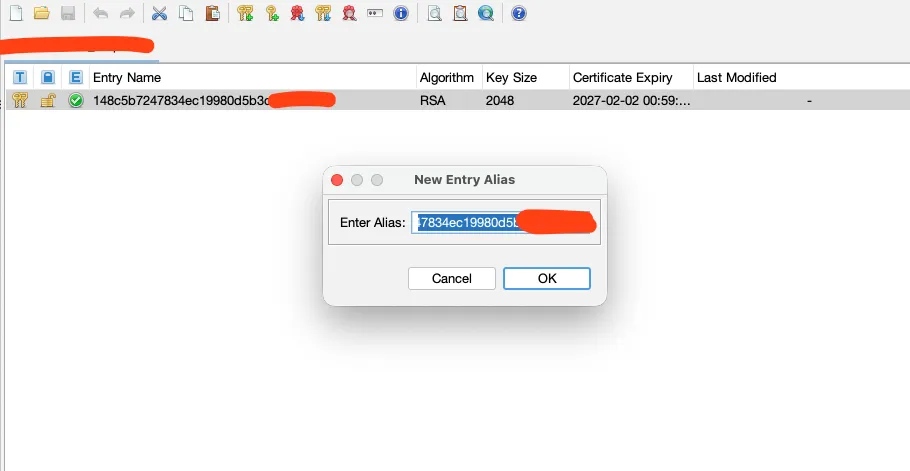
1. Open your keystore
Section titled “1. Open your keystore”- Launch Keystore Explorer
- Click File → Open
- Select your keystore file (.jks, .p12, .keystore, etc.)
- Enter the keystore password when prompted
2. View the entries
Section titled “2. View the entries”- Once opened, you’ll see a list of entries in the keystore
- Each row corresponds to a key or certificate
3. Fetch the alias
Section titled “3. Fetch the alias”- The value in Entry Name contains the alias
- Right-click and select Rename...
- Copy the value