
How Control supports IAM
How Fortified ID Control supports different parts of an IAM process.
Fortified ID Control supports several parts of an IAM process, from user-driven requests to background automation and system integrations.
In practice, this means the same product can be used to collect information, guide users through a process, trigger changes, and run recurring IAM tasks over time.
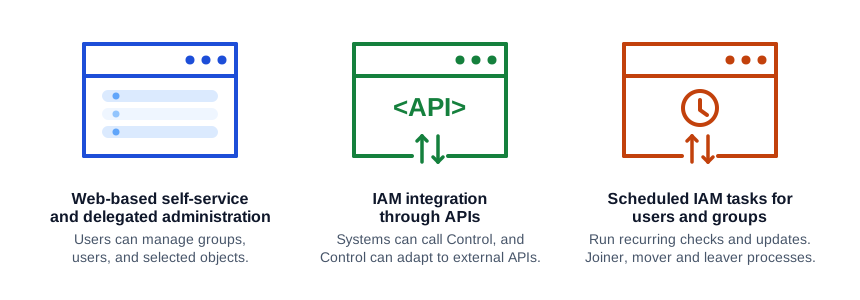
Control does this through three complementary parts:
- Forms for interactive, user-driven processes
- API for system-to-system integrations
- Schedules for recurring and background execution
Together, these parts make it possible to handle both manual and automated IAM work in one place.
Where each part fits
Section titled “Where each part fits”| IAM stage | Forms | API | Schedules |
|---|---|---|---|
| Request and initiation | Used when a user, manager, or administrator starts a process in a guided UI flow. | Used when another system starts the process through an HTTP call. | Used when the process should start automatically at a fixed time or interval. |
| Data collection | Collects input from people through steps and controls. | Accepts structured request data from calling systems. | Runs without interactive input and uses configured parameters or connected pipes. |
| Decision and validation | Supports guided flows with validation, manual checkpoints, and approvals as part of the process design. | Supports validation and policy logic in request and auth pipes. | Supports recurring validation, comparison, or enforcement jobs in the background. |
| Provisioning and change | Can trigger pipes that create, update, or remove access as part of a flow. | Can expose endpoint-driven provisioning or integration operations. | Can run recurring provisioning, synchronization, cleanup, or reconciliation jobs. |
| Follow-up and maintenance | Useful when a person needs to review or complete a process manually. | Useful when external systems need status, execution, or follow-up integration points. | Useful for repeated maintenance work such as scheduled synchronization and enforcement. |
Forms is the interactive part of Control. It is used when an IAM process needs guided user interaction, such as:
- onboarding and self-service registration
- access requests
- updates to user or group data
- delegated administration
- flows that include one or more manual checkpoints
Forms is therefore strongest in the stages where people need to enter data, review information, manage users or groups, or move through a controlled process step by step.
API is used when the IAM process should be driven by another system instead of a browser-based flow. Typical use cases include:
- receiving requests from external systems
- calling external APIs from Control
- exposing controlled integration endpoints
- validating and adapting requests before processing
- returning structured results directly to the caller
API is therefore strongest in machine-driven stages of the IAM process, especially when provisioning or validation needs to be triggered from another application or when Control needs to adapt to the rules of another API.
Schedules
Section titled “Schedules”Schedules is used when IAM work should happen automatically over time without a user starting the process manually. Typical use cases include:
- Joiner-Mover-Leaver (JML) processes
- recurring synchronization
- scheduled reconciliation
- periodic cleanup or enforcement
- background jobs that execute one or more pipes
Schedules is therefore strongest in recurring operational stages of IAM, where users and groups need to be checked and updated at defined intervals, such as once per day.
Using the parts together
Section titled “Using the parts together”In many implementations, all three parts are used together:
- A process may start in Forms when a person requests access.
- The same environment may expose API endpoints for related machine-to-machine operations.
- Schedules may run later to synchronize, verify, or maintain the resulting state.
This makes Control suitable for IAM processes that include both interactive workflows and background automation.