
Overview of applications
Overview of applications reference and configuration for Portal.
Overview
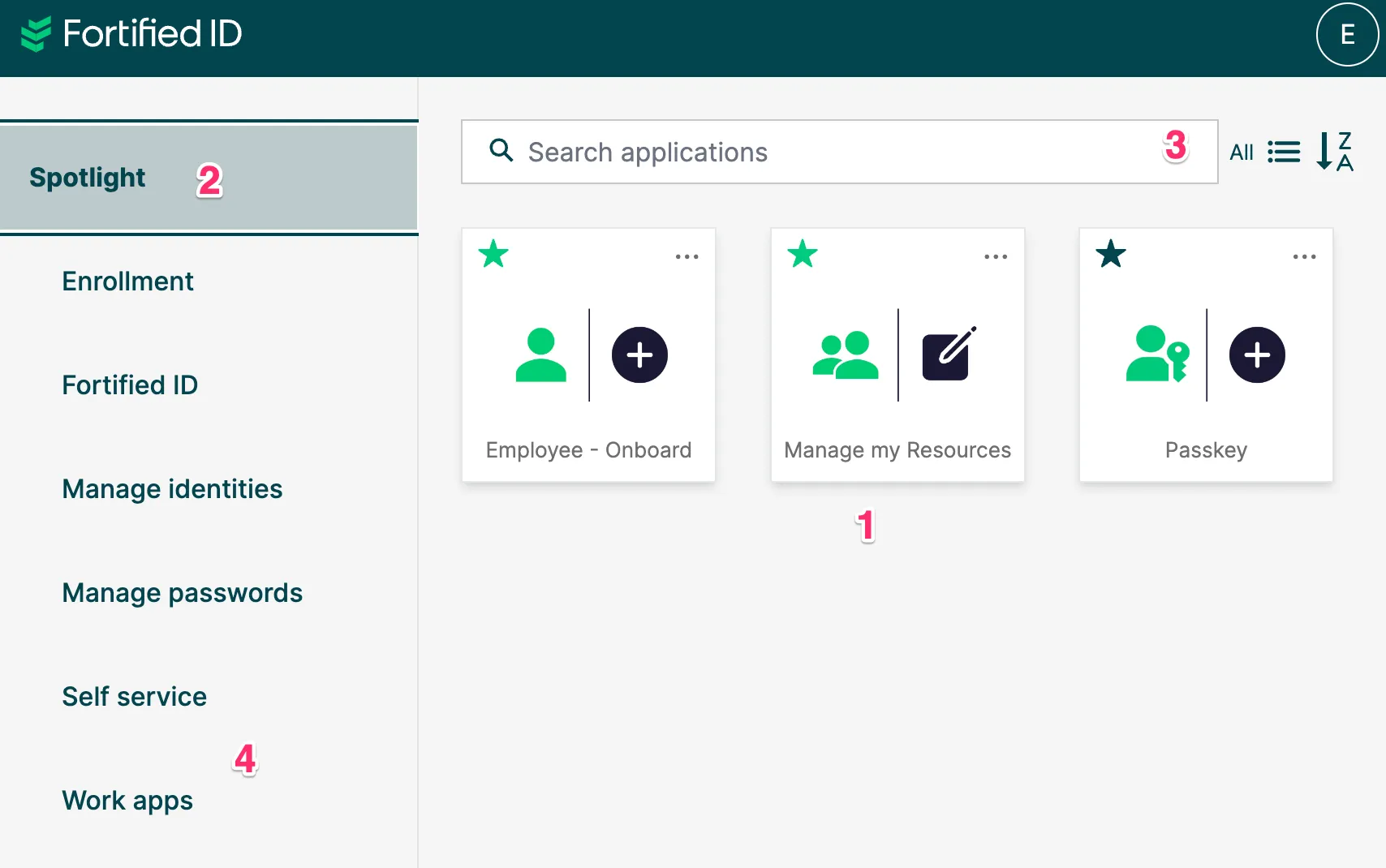
Section titled “Overview”When a user logs in to the Portal we will evaluate what application cards to be presented to the user. We will also decide where the application will be presented. See image below.
- Application card. Defined by a JSON-file and an image-file. You can control using user attribute which users should see which applications cards?
- Category. Where should the application card appear? This is defined by the application JSON-file.
- Search and buttons. Search for a specific application, see all applications, sort or present different view.
- Spotlight. Here can administrator och user defined application card appear. this is the primary view when the user logs in. Consider it a category for favorites.
Location of app configuration and app images
Section titled “Location of app configuration and app images”Each app has one configuration that holds all data of an application (name, category e.g.) including the path to the images of the application but not the images itself.
The main difference between configuration and images is that images needs to be available external. So best practice is not to have configuration and images in the same folder.
Configuration
Section titled “Configuration”Location of configuration is decide by module parameter application.
Below is a setting of the portal module in config.json.
"applications": "@include:resources_internal/applications",Since we use include you just drop new application configuration file in that folder.
Images
Section titled “Images”Location of images folder is configured by module parameter overlay_dir
Below is a setting of the portal module in config.json.
"overlay_dir": "/config/resources_external/overlays",You can have images in a subfolder of the overlay_dir folder.
On this URL we have a number of example images you can use:
https://share.fortifiedid.se/index.php/s/eRYWP9qFeFrXQYP
In this section